Computer Support in Estero, FL
When your computer runs slowly, shows warnings you do not trust, or will not connect to Wi-Fi or the printer, you want someone to look at it who explains what is wrong in plain language. ZoeSquad TechSavvy provides computer support for Estero homes and small offices, onsite or remotely. Call (804) 571-1652 and tell us what is happening.
This page covers computers and laptops: Windows PCs, Macs and Chromebooks. For broader help with phones, tablets, printers and home networks, see our tech support in Estero page, and for business needs see IT support in Estero.
Computer problems we help with in Estero
Slow computers and freezing
A computer that takes minutes to start or freezes while you work is usually dealing with one of a few things: too many programs starting at boot, a full or failing drive, outdated software, too little memory, or unwanted programs running in the background. We check which one it is, clean out what does not belong, update what is out of date, and tell you honestly whether a software fix is enough or whether an upgrade makes sense.
Pop-ups, viruses and suspicious behavior
Fake virus warnings, browser pop-ups that will not close, a changed home page, or programs you did not install are common signs of unwanted software. Please do not call a number shown in a pop-up. We can scan and clean the computer, check for remote-access programs, and help you secure your passwords afterward. Our guide on how to spot a tech scam in Estero explains what to watch for.

Windows and macOS updates
Updates that fail, loop or change how things work are a frequent reason people call. We can get a stuck update through, make sure your computer is on a supported version, and set updates up so they stop interrupting you. You can check what your version needs on Microsoft Support or Apple Support.
New computer setup and moving your files
A new laptop or desktop is easier when someone sets it up with you. We install and sign in to the programs you use, move documents, photos, bookmarks and email from the old computer, set up printers and Wi-Fi, and make sure nothing gets lost. We confirm everything arrived before the old computer is touched.
Email, accounts and passwords
Email that stopped syncing, a locked Microsoft or Apple account, passwords nobody remembers: we help recover accounts, set up Outlook, Gmail, Yahoo or iCloud mail, and turn on two-step sign-in so your accounts are harder to take over. If you use Microsoft 365, the Microsoft 365 site explains what is included with your plan.
Backups and data protection
The most useful thing you can do for your computer is back it up before something goes wrong. We set up automatic backups to an external drive or the cloud, check that they actually run, and show you how to find your files if you ever need them. A good backup turns a dead drive or a ransomware scare into an inconvenience instead of a disaster.
Printers, Wi-Fi and everyday connections
Many computer problems are really connection problems. We get printers talking to your computer again, fix Wi-Fi that drops in certain rooms, and connect new devices to your network. See our printer support and network support pages for more.
Upgrades and hardware
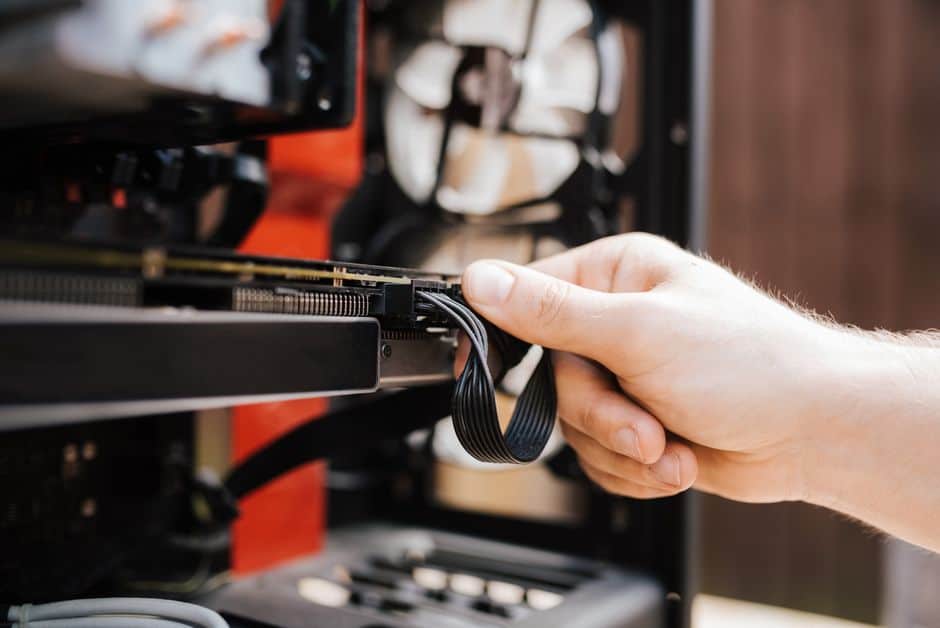
Sometimes a computer is worth keeping with an upgrade, such as more memory or a faster drive, and sometimes it is time to replace it. We give you our honest opinion based on the age and condition of the machine. Hardware repairs depend on the specific computer, so call us to confirm what we can handle for your model before you decide.
Signs it is time to get help
- The computer takes several minutes to start, or programs freeze regularly.
- You see warnings you do not recognize, or pop-ups appear even when no browser is open.
- Your files, photos or email have disappeared, or you cannot sign in to an account.
- The fan runs loudly all the time, or the computer is hot to the touch.
- The battery drains quickly, or the laptop only works when plugged in.
- A strange message says your files are locked or that you must pay to get them back. Turn the computer off and call us before doing anything else.
- You are about to replace your computer and want your files moved safely.
Windows, Mac and Chromebook support
Each type of computer has its own habits. Windows computers are the most common in Estero homes and offices, and the most frequent trouble is slow performance, updates, unwanted software and printer connections. Macs tend to be reliable, but we see issues with full storage, iCloud and Apple ID sign-in, and moving to a new machine. Chromebooks are simple, but problems with Google account sign-in, printing and older models that no longer get updates still come up. We work with all three and will tell you which problems are worth fixing and which are not.
What to have ready when you call
- The make and approximate age of the computer, and whether it runs Windows, macOS or ChromeOS.
- What happened just before the problem started, such as an update, a new program or a power outage.
- Any message on the screen. A photo with your phone is helpful.
- Your Wi-Fi name and your main account email, if you remember them.
Simple things to try before you call
- Restart the computer. It sounds obvious, but a full restart clears many temporary problems. Use Restart, not Sleep.
- Check for updates. Pending updates can slow a computer and cause odd behavior.
- Check your storage. A drive that is nearly full slows everything down. Delete large files you do not need or move photos to an external drive.
- Close extra programs and browser tabs. Dozens of open tabs can use a lot of memory.
- Try another network. If the internet seems slow, test on your phone or another device. The problem may be the router, not the computer.
- Do not click pop-ups or call numbers on screen. If a warning will not close, hold the power button to turn the computer off, then restart it.
If these do not help, or you are not comfortable trying them, call us.
Protect your computer in Southwest Florida
Estero has frequent summer thunderstorms, and power surges damage computers and routers every year. Plug computers, monitors and routers into a surge protector, and consider a battery backup (UPS) for a desktop you cannot afford to lose. Back up your files before a storm and keep a copy away from the computer. If you split the year between Estero and another home, leave your computer updated and backed up before you go, and let us know if you want help checking it when you return.
For general advice on staying safe online, the NIST small business cybersecurity resources are a clear place to start, and if you are the victim of online fraud you can report it to the FBI Internet Crime Complaint Center or learn about common scams from the AARP Fraud Watch Network.
How computer support works with ZoeSquad
- Call us. Tell us the computer, what it is doing, and when it started.
- We decide what is needed. Many software problems can be handled remotely. Anything that needs hands-on work is done at your home or office in Estero.
- We explain the cause. Before fixing anything, we tell you what we found and what we recommend.
- We fix it and check it. We test that the problem is gone and that your files and programs are working.
- You get notes. You will know what we did and what to do next time.
Who we help
- Homeowners and families across Estero and nearby neighborhoods along US-41 and Corkscrew Road.
- Seasonal residents who need a computer ready when they arrive. See our senior tech support for patient, one-on-one help.
- Home offices and small businesses that need a reliable, simple setup. See in-home computer help for what a visit looks like.
Learn more about ZoeSquad or browse our services.
Frequently asked questions
Do you work on both Windows PCs and Macs?
Yes. We support Windows laptops and desktops, MacBooks, iMacs and Mac minis, and Chromebooks.
Can you fix my computer without coming to my house?
Often, yes. Software problems, updates, email and many settings issues can be fixed remotely. Hardware and network problems usually need a visit.
Is it worth repairing an old computer?
It depends on its age and what is wrong. We will tell you honestly whether a repair or upgrade makes sense or whether replacing it will save you money and frustration.
I think I have a virus. What should I do first?
Do not call numbers from a pop-up, and do not give anyone remote access you did not ask for. Turn off the computer if a warning will not close, then call us.
Can you help me set up a new computer?
Yes. We set up the computer, move your files and programs, and connect it to your printer and Wi-Fi.
How do I get started?
Call (804) 571-1652 and describe the problem. We will tell you how we would approach it.
ZoeSquad Mobile In-Home Service Network
Certified mobile technicians dispatched directly to your residence across all 6 SWFL service hubs.