
When a computer, Wi-Fi network or printer stops working, you want a person who can fix it quickly and explain what happened. ZoeSquad TechSavvy provides tech support in Estero, Florida for homes and small businesses: onsite visits, remote help, and ongoing support for the technology you rely on every day. This page explains what we help with, how a visit works, and what makes Estero a little different from other places when it comes to technology.
Tech support we provide in Estero
- Computer support: slow PCs and Macs, startup problems, updates that fail, freezing, strange pop-ups, and setup of new computers. See our computer support in Estero page for more detail.
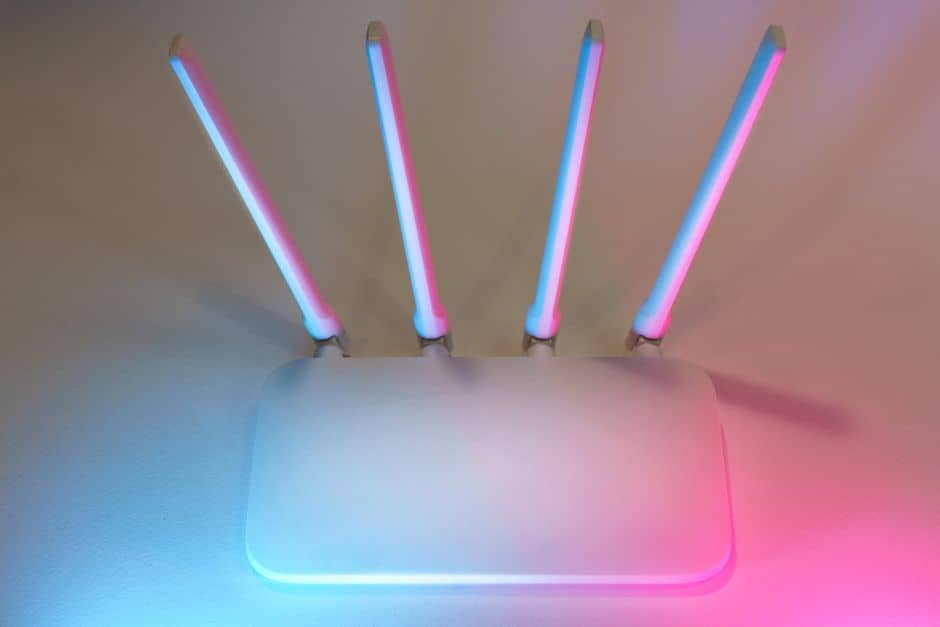
- Wi-Fi and network help: weak signal, dead spots, dropped connections, router setup and mesh systems. Our mesh Wi-Fi guide for Estero explains the options.
- Printer and scanner support: wireless printing, offline printers and scan-to-email. See printer support in Estero.
- Virus, malware and scam cleanup: removing unwanted software, securing accounts, and checking whether anything was stolen. Read how to spot a tech scam in Estero.
- Data backup and recovery: setting up backups and helping when a drive fails. See data recovery in Estero.
- Phones, tablets and smart devices: email, Apple ID and Google account help, transfers to a new device, and connecting smart TVs and home devices.
- Small business IT: email, shared files, security basics, and day-to-day support. See IT support in Estero and network support.
How tech support works with us
- You tell us what is wrong. Call (804) 571-1652 or use the contact page. Tell us the device, what it is doing, and when it started.
- We decide the best way to help. Many software problems can be solved in a remote session. Anything that needs hands-on work, such as networking, cabling or a computer that will not start, is better handled at your home or office.
- We fix it and show you. We explain what was wrong in plain language, so you know what to watch for next time.
- You get a short summary. We write down what we changed, so you or the next technician can see the history.
Onsite and remote tech support
Remote support is fast and does not require anyone to travel. You start a secure session, we connect to your computer, and you can watch everything we do. It works well for software problems, email, updates, account setup and configuration. We never ask for your passwords by email or text, and you can end the session at any time.
Onsite support is the better choice when the problem involves a network, a printer, a television, several devices at once, or a computer that will not turn on. Visiting also lets us see your setup in context: where the router sits, how the devices connect, and what else is on the network. That is often where the real cause of a recurring problem is hiding.
Common problems we solve for Estero residents
Wi-Fi that works in one room and not another
Estero homes vary a great deal, from condos and townhomes to large single-story houses with lanais and screened pool areas. A single router in one corner rarely covers all of that. Thick walls, long hallways and outdoor areas reduce the signal quickly. We measure the signal, choose a better router position or a mesh system, and test every room, including the lanai if you use devices outside. A wired connection to a hard-to-reach room is sometimes the most reliable answer, and we can advise on that too.
A computer that is slow or keeps crashing
Slowness usually has a specific cause: a nearly full drive, too many startup programs, a failing hard drive, malware or an update that never completed. We check the actual cause instead of reinstalling Windows by default. If the machine is old and replacement makes more sense, we say so and help you move your files safely. Microsoft’s own Windows support site is a good place to look up error messages while we work.
Scam calls and fake virus warnings
Scams are one of the most frequent reasons people call us. A pop-up claims your computer is infected and gives a phone number, or a caller says they are from Microsoft or your bank. Real companies do not work that way. If you have already given someone access to your computer or shared a password, stop using the device and call us. We check what was installed, help you change passwords in the right order, and advise on reporting. You can report internet fraud to the FBI’s Internet Crime Complaint Center.
Lost files and failing drives
Hard drives fail, laptops get dropped and files get deleted by mistake. If a drive is clicking or a computer will not start, switch it off and call us before trying anything else. Continued use can make recovery harder. We assess what can be recovered and tell you honestly what is realistic. Prevention is much cheaper than recovery: Microsoft explains how to back up a Windows PC, and Apple explains Time Machine backups for a Mac. We can set either up for you and check that it works.
Technology for seasonal residents and second homes
Many people in Southwest Florida spend only part of the year here. A house that sits empty for months has its own technology risks: routers that need updating, devices that have not installed updates, subscriptions that lapsed, and backups that quietly stopped. Before you leave, we can check the network, update devices, set up remote access so the home can be checked from afar, and make sure your important files are backed up. When you return, we can get everything running again quickly so you are not spending your first week troubleshooting.
Hurricane season and your technology
Storms and power outages are a fact of life in Lee County, and technology suffers when the power drops and returns in surges. A good surge protector or battery backup protects computers, routers and televisions. Backups matter even more, because a flood or lightning strike can destroy a computer and the backup next to it. We recommend keeping one copy off site or in the cloud, and we help you set that up before the season starts. After a storm, we can check that routers, computers and printers came through properly and restore service.
Tech support for Estero small businesses
Estero has a large number of small offices, medical and professional practices, real estate offices and home-based businesses. They all depend on email, files and a working network, and few have a full-time IT person. We help with email setup, shared files, backups, printer and scanner setup, Wi-Fi for staff and guests, and security basics such as multi-factor authentication and software updates. For a small business, one problem solved quickly saves far more than the visit costs. The CISA Stop Ransomware guidance is a useful reference for the protection every small business should have in place, and our cybersecurity services page explains how we help.
Help for seniors and first-time users
Technology is easier when someone explains it patiently. We help older adults and families with email, video calls, photos, online banking safety, new phones and tablets, and anything else that feels confusing. We go at your pace, write down the steps, and never make you feel rushed. See our senior tech support in Estero page. If you are arranging help for a parent who lives in another state, we can set things up locally and, with their permission, arrange remote help later.
What to do before you call
- Note the device and what it is doing, including any error message you can see.
- Write down when the problem started and anything that changed just before: an update, a new device, a storm, a power outage.
- If it is a scam or a suspected hack, stop using the device for banking and shopping until we have checked it.
- If a drive is making noise or a computer will not start, turn it off.
Helpful resources
- Windows support (Microsoft)
- Back up your Windows PC (Microsoft)
- Back up your Mac with Time Machine (Apple Support)
- How to recover your Google Account (Google Account Help)
- Stop Ransomware (CISA)
- Internet Crime Complaint Center (FBI IC3)
Estero tech support questions
Do you come to Estero?
Yes. We provide onsite tech support in Estero, ZIP 33928, and nearby Lee County communities, and we offer remote support for software problems.
How fast can you help?
Call us at (804) 571-1652 to talk about your situation. Remote help can often start quickly; for visits, we will tell you the earliest time we can come.
Do you work on both PCs and Macs?
Yes. We support Windows PCs, Macs, iPhones, iPads, Android devices, printers and home networks.
Can you help my business as well as my home?
Yes. We support homes and small businesses, and we can help with one-time problems or regular support.
What if you cannot fix it?
We will tell you plainly and explain the options, such as replacement or a specialist service, before any further work is done.
Need tech support in Estero? Call (804) 571-1652 or visit our contact page. You can also read about in-home computer repair in Estero.